Intro
My homelab consists of a monolithic Proxmox host, and even though I do have weekly backups, I wanted to strengthen my homelab’s resiliency, without spending more than I already do. In my search, I came across Oracle’s always free tier of VPS, running linux on arm. The first thing I did after sign-in up was to convert my account to PAYG (don’t worry they don’t charge you unless you go past your free quota), as there are countless threads on Reddit of people getting their instances shut down out of nowhere.
Connecting my homelab to a cloud VPS opens up a lot of options: offsite backups, remote proxies, jump hosts and even failover replicas. To connect my homelab to the VPS, I set up a WireGuard tunnel. WireGuard itself is easy to set up, but pairing it with Oracle’s strict firewall turned a 10 min session to an hour one. Here is how I set it up.
The Setup
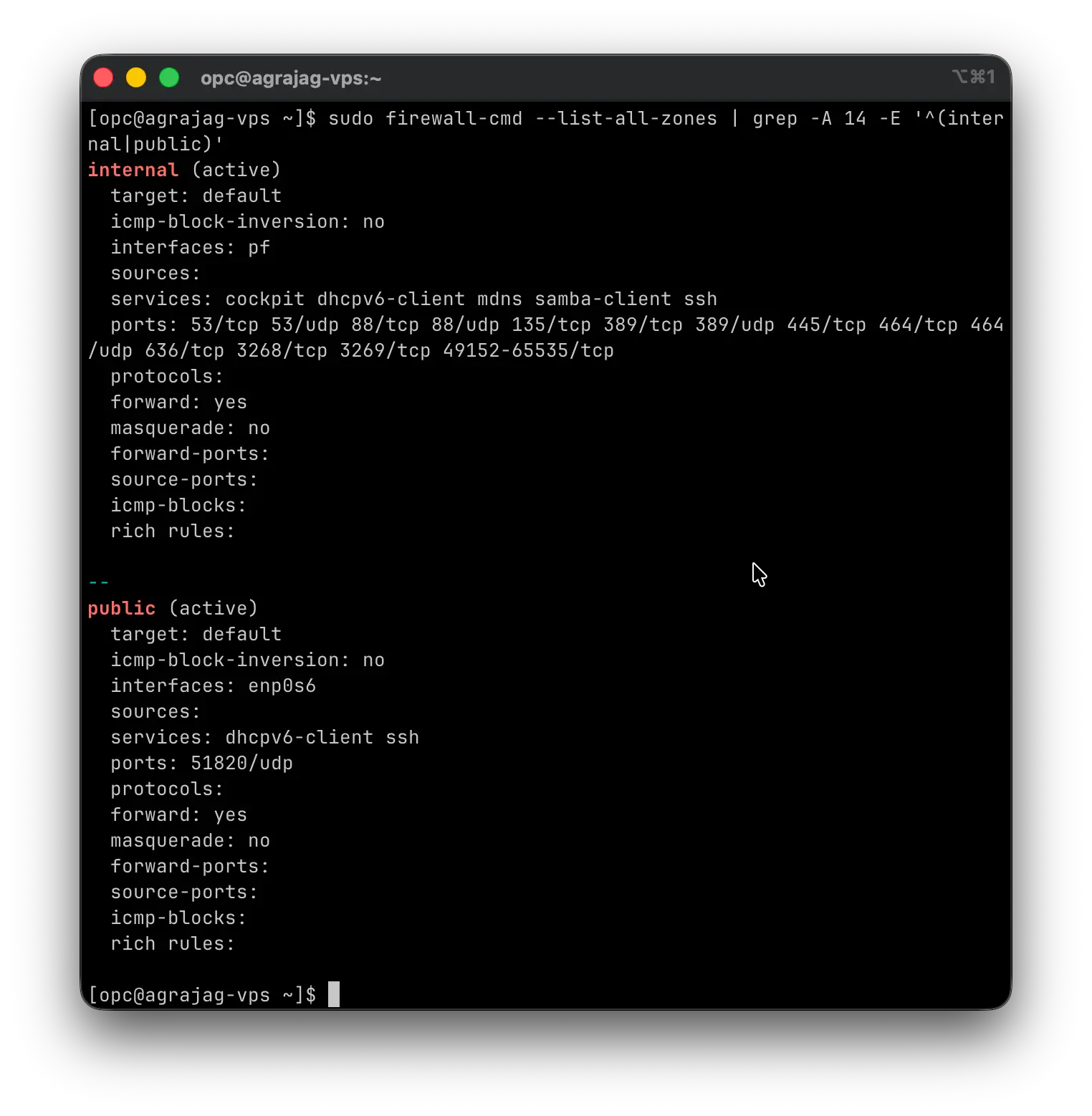
After making sure to open 51820/UDP in the Oracle Cloud VCN ingress rules, generating the WireGuard keys, and bringing the tunnel interface online (I named it pf instead of wg0), everything looked fine. Performing a ping from my homelab to the VPS tunnel IP worked but trying to SSH did not work. The issue came from firewalld, as it was not allowing any traffic other than ICMP packets through.
To fix this I had to add the interface to the internal zone, explicitly opening the required ports for ssh (and any other future ones that I may need):
sudo firewall-cmd --permanent --zone=internal --add-interface=pf
sudo firewall-cmd --permanent --zone=internal --add-port=22/tcp
sudo firewall-cmd --reload
This way the public interface exposes nothing but WireGuard (51820/udp), and all internal traffic flows strictly over the VPN.
Something else worth noting is that the default for Oracle interfaces is jumbo frames, so I had to update the interface MTU in the WireGuard configuration to match my firewall’s interface minus the overhead. WireGuard overhead is typically 60 bytes for IPv4 (or 80 for IPv6), so since my LAN MTU is 1500, I set it to 1420:
[Interface]
PrivateKey = <private key>
Address = 10.80.80.20/24
PostUp = resolvectl dns %i 10.42.42.1; resolvectl domain %i '~<domain>'
PostDown = resolvectl revert %i
MTU = 1420

[Peer]
PublicKey = <public key>
AllowedIPs = 10.42.41.0/24, 10.42.42.0/24, 10.80.80.0/24
Endpoint = <endpoint>
PersistentKeepalive = 0
I had a lot of dropped packets before fixing this misconfiguration.
Done!
After adding the interface to the internal zone and opening up the needed ports, my homelab is able to talk to the Oracle VPS!