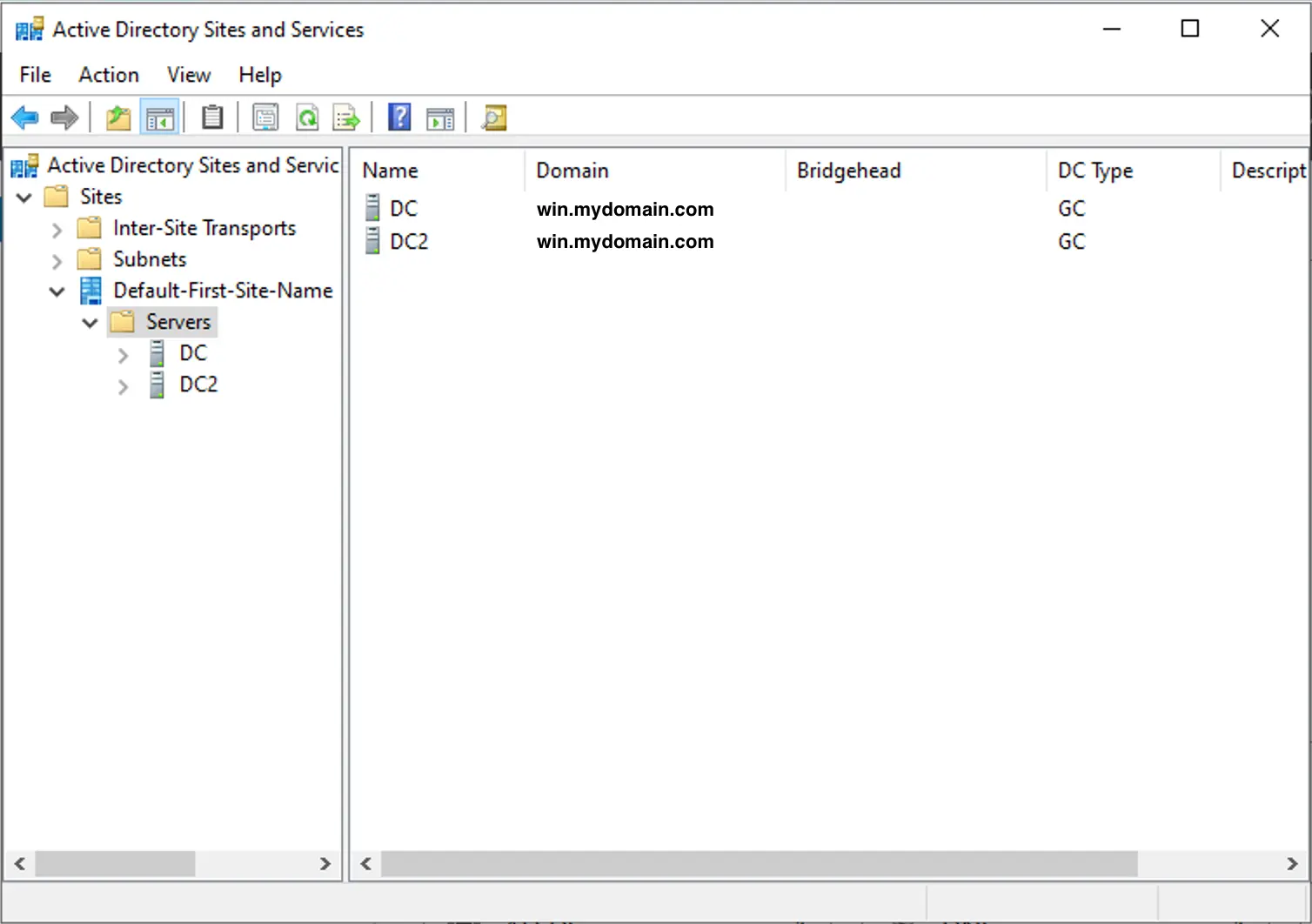
Intro
I run a Windows Server 2022 VM in my homelab as my primary Active Directory Domain Controller. It handles LDAP identity for Authelia, Windows, and even Linux (through FreeIPA). Because my entire homelab’s authentication has no redundancy, I wanted to set up an offsite replica (technically an additional peer Domain Controller, as AD is multi-master) so I could easily migrate authentication if ever the primary server goes down.
I recently connected my homelab to an Oracle VPS using WireGuard (which I cover in my WireGuard troubleshooting post). The instance runs Linux on ARM, meaning I can’t run Windows Server. To overcome this, I decided to try out a Dockerized Samba AD DC (specifically using the instantlinux/samba-dc:4.22.10-r0 image, which includes Samba 4.22). This was not without its hurdles, so I decided to document what I did and how I solved my issues.
Domain Functional Level Incompatibility
The first domain join attempt using samba-tool domain join found the DC, authenticated, created the computer object, but then crashed right at the end when creating NTDS Settings:
Adding CN=NTDS Settings,CN=DC2,...
DsAddEntry failed with status WERR_ACCESS_DENIED info (8567, WERR_DS_INCOMPATIBLE_VERSION)
Join failed - cleaning up
The error code 8567 (WERR_DS_INCOMPATIBLE_VERSION) indicates that the functional level is unsupported. Even though my VM is running Server 2022, the functional level is 2016, which makes sense as the original install was 2016 and was later upgraded to 2022. On paper, recent versions of Samba support running at a 2016 functional level (Windows2016Forest), but it rejected replicating at that level.
To fix this, I had to drop the functional level on my Windows DC down to Windows Server 2012 R2 using PowerShell:
Set-ADDomainMode -Identity win.mydomain.com -DomainMode Windows2012R2Domain
Set-ADForestMode -Identity win.mydomain.com -ForestMode Windows2012R2Forest
Then, from within the container, I ran the join command with an explicit functional level option:
samba-tool domain join WIN.MYDOMAIN.COM DC \
  -U "WIN\\Administrator" \
  --realm=WIN.MYDOMAIN.COM \
  --dns-backend=SAMBA_INTERNAL \
  --server=dc.mydomain.com \
  --site=Default-First-Site-Name \
  --option="dns forwarder = 10.42.42.3" \
  --option="ad dc functional level = 2012_R2"
Without --option="ad dc functional level = 2012_R2", the join still failed even after lowering the domain mode.
Container Entrypoint Automation Limitations
The instantlinux/samba-dc container auto-joins on first boot, but its entrypoint script hardcodes join flags. There was no way to pass --option="ad dc functional level = 2012_R2", so the automated container boot kept failing.
To bypass the entrypoint I had to override it in my docker-compose.yml:
entrypoint: ["/bin/sh", "-c", "sleep infinity"]
Then I started the container, exec’d in with docker exec -it dc2 /bin/sh, and ran samba-tool domain join manually with all custom options. Once joined, I switched docker-compose.yml back to standard Samba execution:
entrypoint:
  - /bin/sh
  - -c
  - |
    cp -f /var/lib/samba/private/krb5.conf /etc/krb5.conf 2>/dev/null || true
    exec samba -i --debug-stdout
Multi-Interface IP Binding in Host Networking
Because Samba ran in Docker host network mode, it scanned every network card on the host, including public Oracle IPs and internal Docker bridge adapters (docker0, br-*). Samba then registered all those random IPs into AD DNS, breaking DNS resolution for domain clients.
To fix this, I forced Samba to bind strictly to localhost and my private WireGuard tunnel interface in /etc/samba/smb.conf.
[global]
        realm = WIN.MYDOMAIN.COM
        workgroup = WIN
        server role = active directory domain controller

        interfaces = lo eth0 10.80.80.20/24
        bind interfaces only = yes

        dns forwarder = 10.42.42.3
That stopped Samba from broadcasting public or bridge IPs across DNS, keeping replication safely inside the WireGuard tunnel.
Firewalld Zone Isolation for AD
The host’s firewalld was silently dropping all connections required for Active Directory replication. To fix this, I had to open all AD ports on the replicating interface:
sudo firewall-cmd --permanent --zone=internal --add-port={53,88,135,389,445,464,636,3268,3269}/tcp
sudo firewall-cmd --permanent --zone=internal --add-port={53,88,389,464}/udp
sudo firewall-cmd --permanent --zone=internal --add-port=49152-65535/tcp
sudo firewall-cmd --reload
Verification
After fixing the bindings, I ran samba-tool to check replication:
sudo docker exec -it dc2 samba-tool drs showrepl
All naming contexts showed 0 consecutive failure(s).
I also verified that my services could still query the new Samba replica over LDAPS. Note that modern Samba requires transport encryption for simple binds. Since Samba uses a self-signed certificate by default, the best practice for testing is to pass the LDAPTLS_REQCERT=never flag:
LDAPTLS_REQCERT=never ldapsearch -x \
  -H ldaps://dc2.win.mydomain.com:636 \
  -D '[email protected]' \
  -W -b "dc=win,dc=mydomain,dc=com" \
  "(sAMAccountName=kbuezo)"
Done!
Even though this isn’t a strict high availability configuration, if my homelab ever goes down, I can now launch essential services from backup to my Oracle VPS and authenticate without issue.
References
P.S.
Not to turn this into a recipe site but my daughter is almost 6 months now. She is so curious about the world and tries to eat everything she can get her hands on LOL. She can’t quite roll yet but she can sit now (guided) and we think she is teething. My wife and I already miss our newborn but we are loving our little infant. Here is an audio clip of her laugh: